Stream Companion
A downloadable tool for Windows
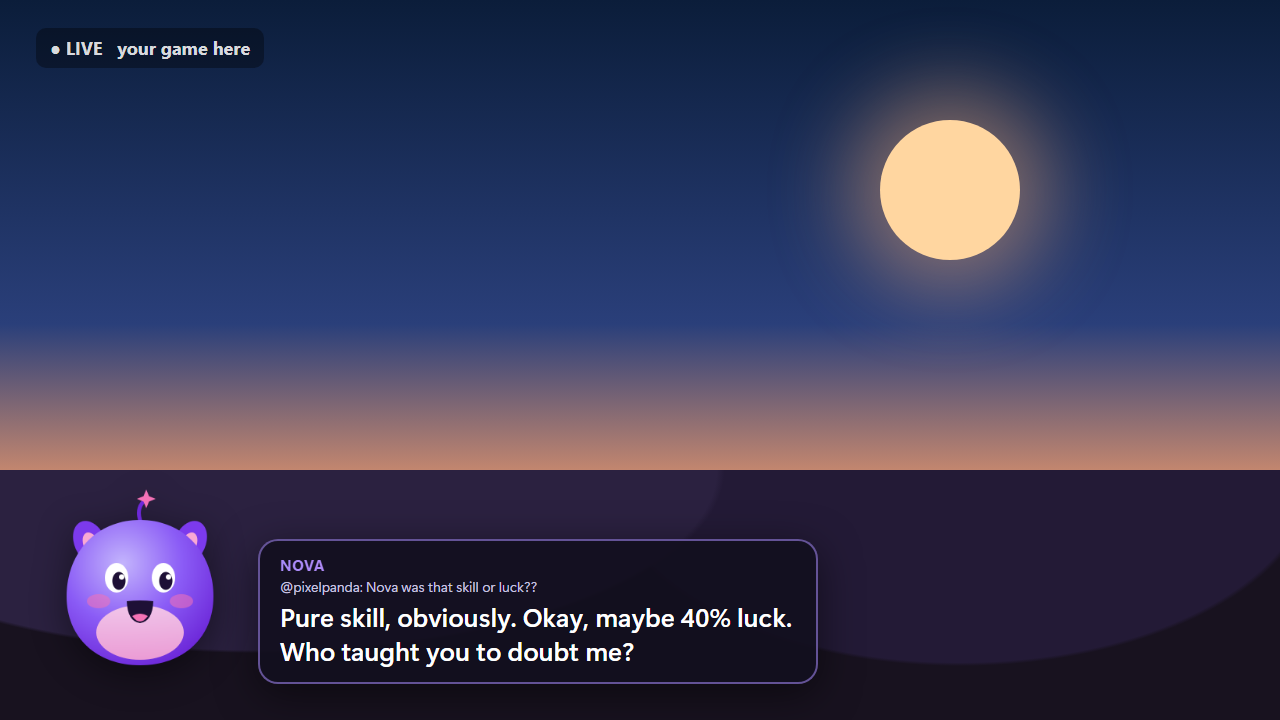
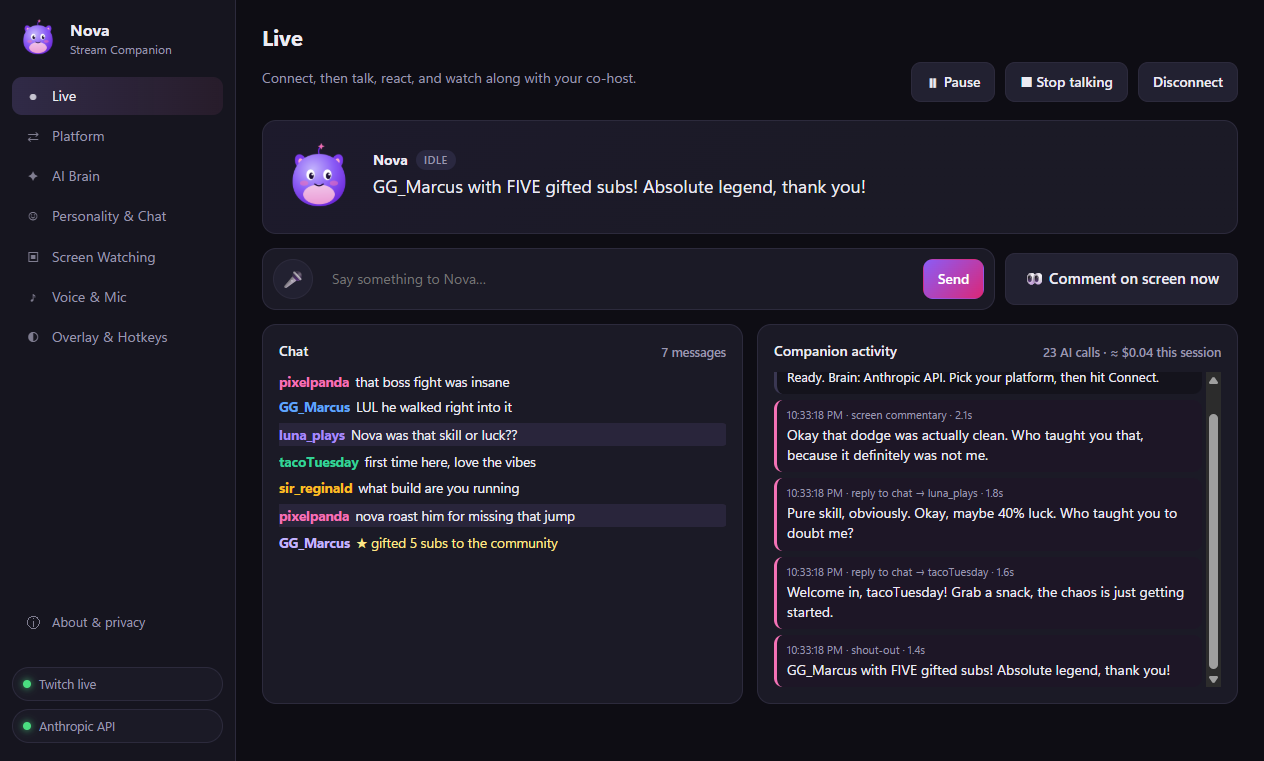
Stream Companion is your AI co-host for live streams. It reads your chat, watches your gameplay, and talks back in a natural voice, with its own animated character on your OBS overlay.
✨ What it does
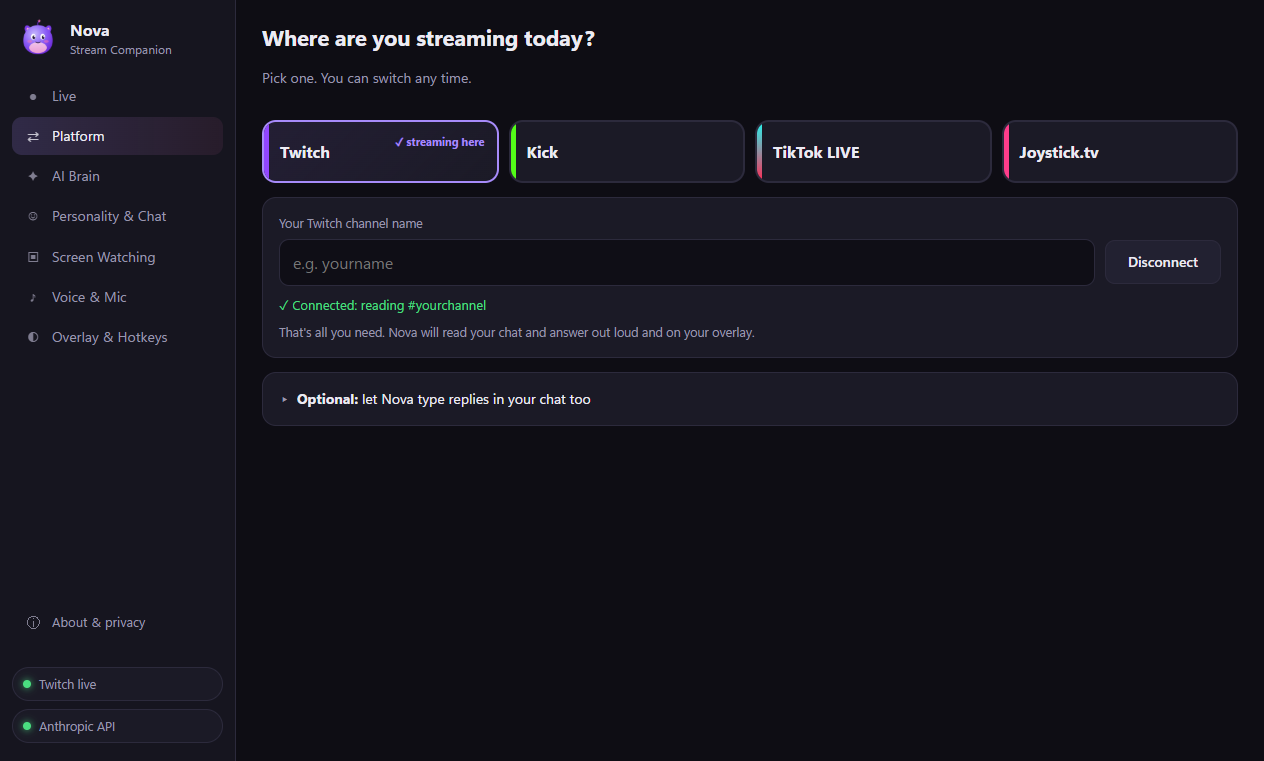
- Chats with your viewers on Twitch and Kick, plus TikTok LIVE and Joystick.tv (beta). Pick your platform in one click.
- Watches your screen and reacts to what's happening, like a friend watching along.
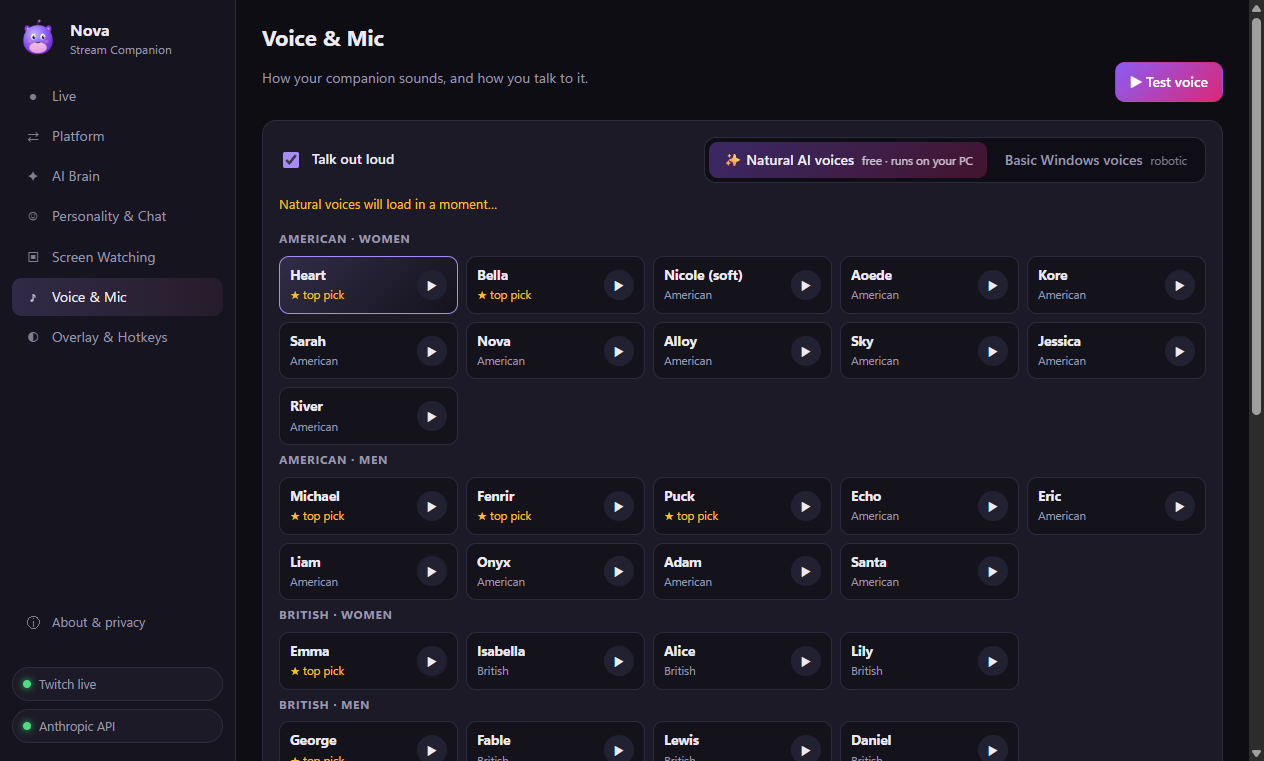
- 28 natural AI voices that run on your own graphics card. Free, no limits, no voice subscription.
- Talk to it with your mic. Press a hotkey and just talk. Speech recognition also runs on your PC.
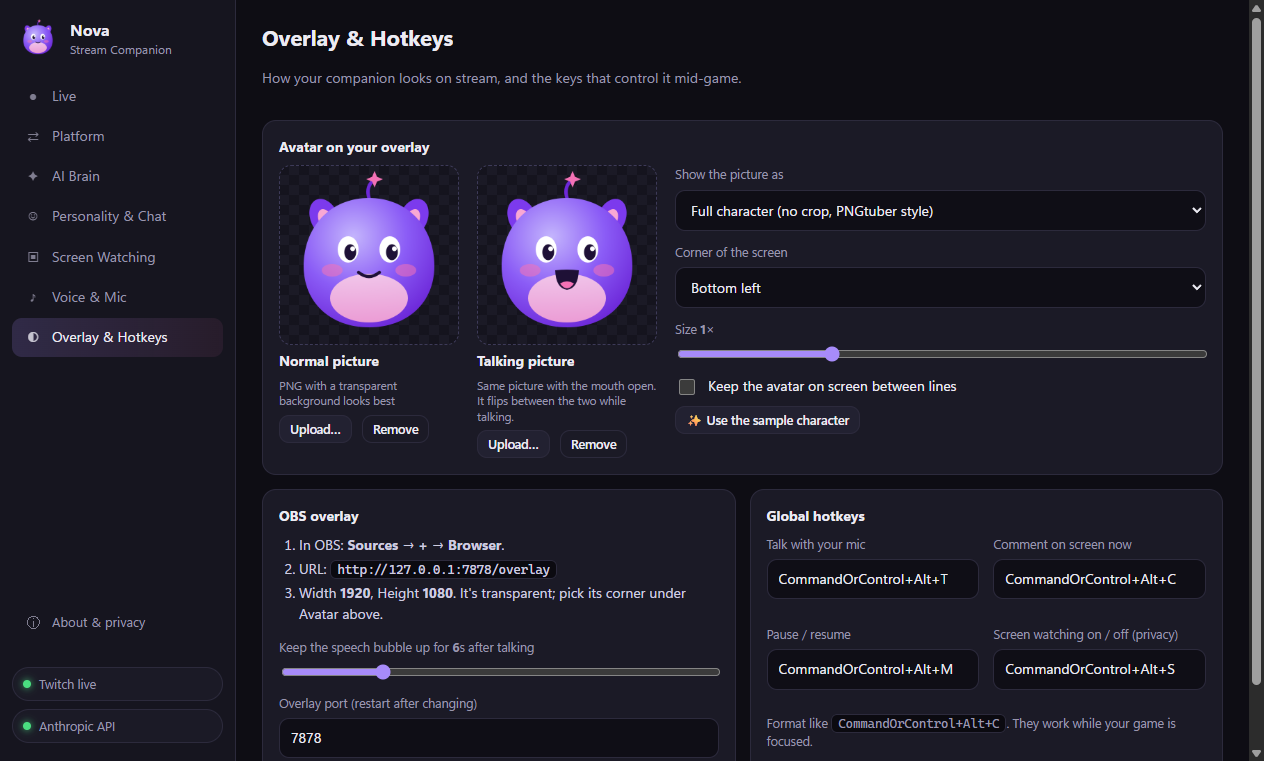
- PNGtuber-style overlay. Upload your own character with a "talking" frame, or use the included mascot.
- Thanks your followers, subs, gifts and raids, and remembers your regulars between streams.
- Mod controls: your mods can type !ai stop, !ai pause and !ai ignore right in chat.
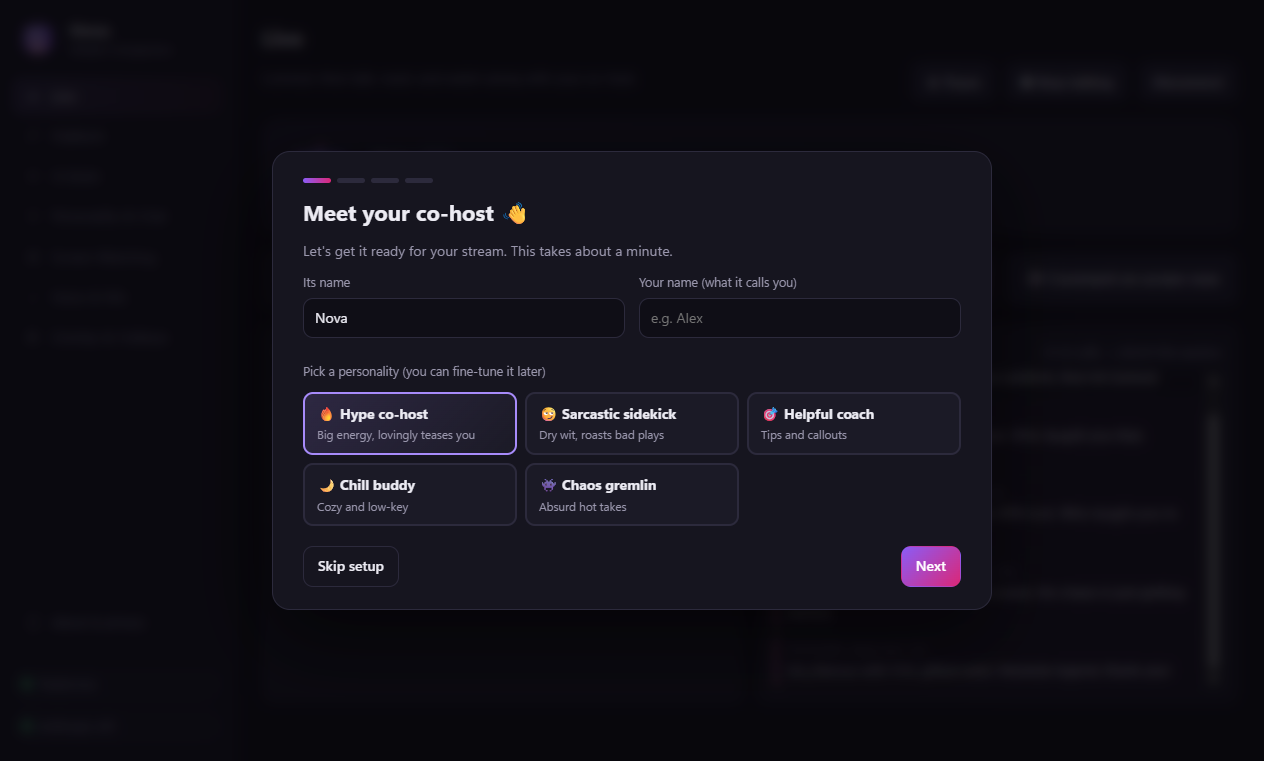
- Personality presets: hype co-host, sarcastic sidekick, helpful coach, chill buddy, chaos gremlin, or write your own.
- Privacy hotkey stops screen watching instantly.
🧠 Powered by your own AI key
Stream Companion uses your own Anthropic (Claude) or OpenAI API key, so you only pay for what you actually use. That's often just a few cents per hour of streaming on a light model. A built-in cost meter shows what each session costs.
💻 Requirements
- Windows 10 or 11 (64-bit)
- An Anthropic or OpenAI API key
- A graphics card with up-to-date drivers for the natural voices and voice input (it falls back to Windows voices otherwise)
- Internet connection. The voice and speech models download once on first use (about 550 MB).
📺 Platform notes
- Twitch and Kick: reads chat with just your channel name. Letting it type replies in chat needs a one-time free app setup, guided step by step in the app.
- TikTok LIVE (beta): reads chat, gifts and follows. Replies are spoken out loud, since TikTok doesn't allow bots to post in LIVE chat.
- Joystick.tv (beta): one-time bot setup, guided in the app.
🔒 Privacy
Chat messages and, if you turn it on, screenshots go only to the AI provider you choose. Voices and speech recognition run on your own PC. No tracking, no analytics.
Installing
Run the installer. Windows may show a SmartScreen warning the first time because the app is new. Click More info → Run anyway. A setup wizard walks you through the rest in about a minute.
Purchase
In order to download this tool you must purchase it at or above the minimum price of $14.99 USD. You will get access to the following files:
Leave a comment
Log in with itch.io to leave a comment.